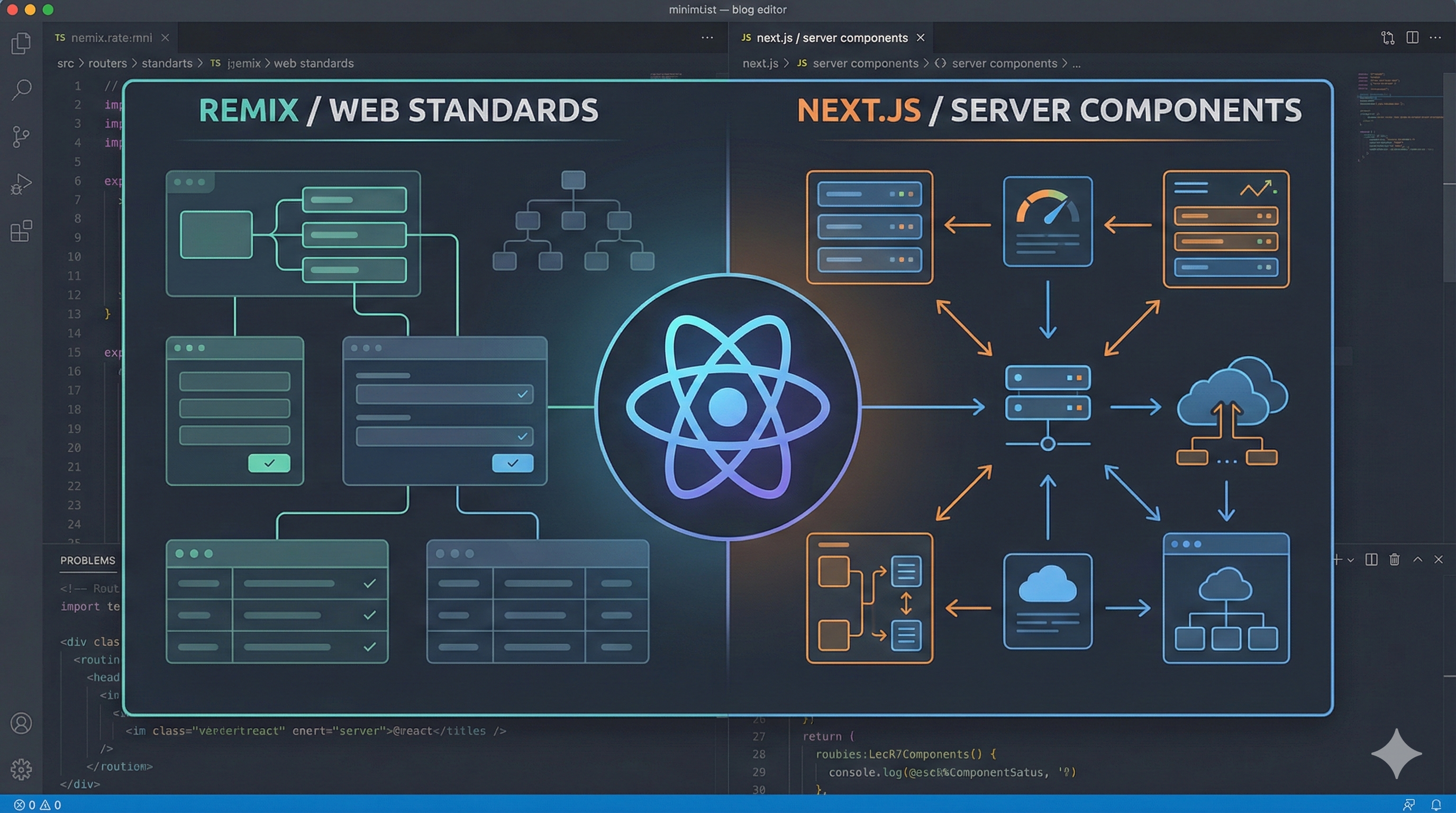
Remix (React Router) vs Next.js: Choosing the Right React Framework in 2026
The React ecosystem has matured significantly, and two frameworks have emerged as the leading choices for building production-ready applications: Remix (now integrated with React Router) and Next.js. Let's dive deep into what makes each unique and when you should reach for one over the other.
Table of Contents
- Why This Comparison Matters Today
- What Remix and Next.js Actually Are
- Core Philosophy of Each Framework
- Mental Models Developers Must Adopt
- How Routing Works in Each Framework
- Nested Routing vs Layout-Based Routing
- The routes.ts File in Remix (optional)
- How Data Is Fetched in Remix
- How Data Is Fetched in Next.js
- How Mutations (Writes) Are Handled in Remix
- How Mutations (Writes) Are Handled in Next.js
- Performance Defaults
- Client-Side Navigation Behavior
- Bundle Size and JavaScript Sent to the Client
- JavaScript Delivery in Remix
- Current React Server Components (RSC) Support in Both Ecosystems
- Developer Experience and Learning Curve
- Debugging and Maintainability
- Scalability for Teams and Long-Term Projects
- Deployment Flexibility and Hosting Concerns
- Ecosystem Maturity and Tooling
- When Next.js Is the Better Choice and When Remix Is the Better Choice
- Real-World Use-Case Mapping
- Key Trade-offs Summary
- Choosing Based on the Problem, Not the Hype
- Personal Recommendations
Why This Comparison Matters Today
The React ecosystem is going through a structural shift, not just an incremental upgrade. What used to be a simple choice between “client-side React” and “server-side React” has evolved into choosing entire mental models for building web applications.
Next.js and Remix (now closely aligned with React Router's framework mode) represent two fundamentally different answers to the same question:
How should modern React apps handle routing, data, and mutations at scale?
Over the last few years:
- Next.js has moved aggressively toward React Server Components, streaming, and framework-level abstractions.
- Remix has doubled down on web fundamentals, HTTP semantics, forms, and route-driven data flow.
- React Router has effectively absorbed Remix's ideas, making this comparison relevant even beyond Remix itself.
As a result, developers today aren't just choosing tools — they're choosing:
- How data enters their application
- Where mutations live
- How much framework “magic” they're comfortable with
- How closely their app aligns with browser-native behavior
This comparison matters because the wrong choice doesn't usually fail immediately.
It fails months later — when the app grows, when teams scale, when data flow becomes harder to reason about, or when performance optimizations become fragile.
Understanding the differences now helps avoid costly rewrites, architectural friction, and developer frustration later. This article focuses on those deeper differences, not surface-level feature checklists.
What Remix and Next.js Actually Are
At a high level, both Remix and Next.js are full-stack React frameworks, not just routing libraries or rendering tools. They each provide opinions on how routing, data fetching, mutations, and server rendering should work together in a single application.
That said, they originate from very different places.
Next.js is a React framework built and maintained by Vercel. It started as a solution for server-side rendering React applications and has steadily evolved into a highly integrated platform. Today, Next.js combines routing, rendering strategies, server execution, API endpoints, and React Server Components under one framework with strong conventions.
Remix on the other hand, was designed from the ground up as a web-standards-focused framework. It treats routes as the primary unit of composition and builds application behavior around HTTP requests, responses, and browser-native features like forms and navigation. Rather than abstracting the web away, Remix intentionally exposes it.
In recent years, the distinction has become more nuanced. The core ideas behind Remix—such as route-based data loading, mutations via actions, and nested routing—have been adopted directly into React Router's framework mode. As a result, when people compare Remix and Next.js today, they are often comparing two architectural approaches, not just two libraries.
Understanding what these frameworks are at a conceptual level is important, because the choice between them is less about feature parity and more about how much control, abstraction, and alignment with web fundamentals you want in your application.
Why This Matters
Knowing what each framework fundamentally is shapes every decision you make with it. Developers who treat Next.js as "just SSR" or Remix as "just a router" will miss the full picture and eventually run into friction. The architectural identity of each framework determines which patterns feel natural and which feel like workarounds.
Core Philosophy of Each Framework
Although Remix and Next.js aim to solve similar problems, they are guided by very different philosophies about how web applications should be built and how much the framework should abstract away.
Next.js Philosophy
Next.js is built around the idea of providing a highly integrated React platform. Its philosophy emphasizes convenience, performance optimizations by default, and deep integration with modern React features.
The framework encourages developers to rely on:
- Framework-level routing conventions
- Server-side rendering and streaming as defaults
- React Server Components for reducing client-side JavaScript
- Built-in solutions for data fetching, mutations, and APIs
Next.js prioritizes developer velocity and scalability through abstraction. Many decisions are made by the framework itself, allowing teams to move quickly without configuring every layer manually. In return, developers are expected to align closely with the framework's conventions and evolving architectural patterns.
Remix Philosophy
Remix is guided by a web-first, standards-driven philosophy. Instead of abstracting browser behavior, it leans into it and treats the web platform as the foundation rather than something to hide.
Its core principles include:
- HTTP requests and responses as the primary abstraction
- Routes as the central unit of composition
- Explicit separation of data loading and mutations (Loaders and Actions)
- Native browser features such as forms, navigation, and caching
Remix values predictability and explicitness over convenience. Rather than relying on framework magic, it encourages developers to model application behavior using patterns that closely mirror how the web already works. This often results in applications that are easier to reason about as they grow, even if they require more upfront architectural thinking.
These philosophical differences influence nearly every aspect of how applications are structured, from routing and data flow to performance optimizations and long-term maintainability.
Why This Matters
Philosophy isn't abstract—it dictates the patterns you'll use daily. Choosing a framework whose philosophy conflicts with your instincts leads to constant friction. Understanding these core beliefs helps you predict how each framework will evolve and whether your team will thrive within its constraints.
Mental Models Developers Must Adopt
One of the biggest differences between Remix and Next.js is not technical—it's cognitive. Each framework asks developers to organize their thinking around a different primary abstraction. Understanding this mental shift is crucial, because most long-term friction comes from fighting the framework's model rather than lacking features.
Mental Model in Next.js
Next.js encourages developers to think in terms of components and rendering environments.
The core questions you constantly ask in a Next.js app are:
- Is this a server component or a client component?
- Where does this code execute?
- How is this data cached, revalidated, or streamed?
- Does this interaction require a server action or a route handler?
Data fetching, mutations, and rendering are tightly coupled to the component tree. Components are not just UI—they are also the boundary for execution context and data access. This makes the mental model component-centric, with performance optimizations handled through framework-provided mechanisms like caching and streaming.
This model works extremely well when developers embrace it fully, but it requires a strong understanding of:
- Server vs client execution
- Framework-managed caching behavior
- React Server Component constraints
Mental Model in Remix
Remix asks developers to think in terms of routes and HTTP interactions.
The primary questions in a Remix app are:
- What data does this route need?
- What mutations does this route perform?
- How should the UI update after this request?
- How does navigation affect data loading?
Routes are the organizing unit, not components. Data is loaded before rendering, mutations are handled explicitly through actions, and the UI reacts to changes through predictable revalidation. Instead of managing execution context, developers reason about requests, responses, and navigation.
This leads to a mental model that mirrors traditional web development:
- Read operations happen in loaders
- Write operations happen in actions
- Navigation drives data flow
Key Difference in Practice
In practice, the difference can be summarized as:
- Next.js trains developers to optimize how and where components render.
- Remix trains developers to model how the application behaves over HTTP.
Neither approach is inherently better, but they reward different instincts. Developers who enjoy fine-grained control over rendering behavior often gravitate toward Next.js, while those who prefer explicit data flow and predictable application state tend to feel more comfortable in Remix.
Choosing between them is less about capability and more about which mental model aligns with how you naturally reason about web applications.
Why This Matters
Mental models determine how quickly developers become productive and how maintainable code becomes over time. Adopting the wrong mental model means constantly translating between how you think and how the framework expects you to work—a recipe for bugs and frustration.
How Routing Works in Each Framework
Routing is the structural backbone of both Remix and Next.js, but each framework treats routes very differently. These differences shape how applications are organized, how UI is composed, and how data flows through the app.
Routing in Next.js
app/
├── layout.tsx             // Root layout
├── page.tsx              // '/'
├── dashboard/
│   ├── layout.tsx        // '/dashboard' layout
│   ├── page.tsx          // '/dashboard'
│   └── settings/
│       └── page.tsx      // '/dashboard/settings'
Next.js uses file-system–based routing. Routes are defined by the folder and file structure inside the application directory. Each folder represents a URL segment, and special files control how that segment behaves.
Key characteristics of Next.js routing:
- URLs are derived directly from the file system
- Layouts are shared across segments using layout files
- Pages are composed through nested layouts rather than nested routes
- Route segments can be static or dynamic based on naming conventions
Routing in Next.js is tightly integrated with rendering. Each route segment can define how and when it renders, whether it streams, and whether it is statically generated or dynamically rendered. As a result, routing and rendering decisions are often made together.
This model encourages developers to think of routes as containers for component trees, with layouts acting as persistent shells around changing content.
Routing in Remix
Default
routes/
├── _layout.tsx         // Root layout
├── dashboard.tsx      // '/dashboard'
├── dashboard.settings.tsx  // '/dashboard/settings'
Remix also uses file-based routing, but the similarity ends there. In Remix, routes are treated as route modules, not just folders that map to URLs.
Key characteristics of Remix routing:
- Each route is an independent module
- Multiple routes can match a single URL through nesting
- Parent and child routes render together
- Each route can independently load data and handle mutations
Nested routing is fundamental in Remix. When a URL is matched, Remix builds a hierarchy of routes, and each matched route contributes both UI and data to the final page. This allows different parts of the screen to be owned by different routes, each with clear responsibilities.
Routing in Remix is less about layout composition and more about behavioral composition—how different parts of the application respond to navigation and data changes.
Practical Difference
In practice:
- Next.js routing organizes UI primarily around layouts and rendering boundaries.
- Remix routing organizes UI around nested routes that directly mirror application behavior.
Both approaches scale well, but they encourage very different application structures. Understanding this difference early helps avoid architectural friction as an application grows.
Why This Matters
Routing is the skeleton of your application. Choosing a routing model that doesn't fit your application's structure leads to awkward workarounds and technical debt. The right routing approach makes features easier to add; the wrong one makes every new page a struggle.
Nested Routing vs Layout-Based Routing
Although both Remix and Next.js support shared UI and hierarchical URLs, they approach composition very differently. The distinction between nested routing and layout-based routing affects how UI, data, and behavior are owned and reasoned about as an application grows.
Layout-Based Routing in Next.js
Next.js uses layouts to share UI across route segments. Layouts persist between navigations and wrap child routes, acting as long-lived UI shells.
Example folder structure:
app/
├── layout.tsx
├── page.tsx                  // '/'
├── dashboard/
│   ├── layout.tsx
│   ├── page.tsx              // '/dashboard'
│   └── settings/
│       └── page.tsx          // '/dashboard/settings'
// app/layout.tsx
export default function RootLayout({
  children,
}: {
  children: React.ReactNode
}) {
  return (
    <html>
      <body>{children}</body>
    </html>
  )
}
// app/dashboard/layout.tsx
export default function DashboardLayout({
  children,
}: {
  children: React.ReactNode
}) {
  return (
    <section>
      <nav>Dashboard Navigation</nav>
      {children}
    </section>
  )
}
When navigating between /dashboard and /dashboard/settings, the dashboard layout stays mounted while only the page content changes.
Key characteristics of layout-based routing:
- Layouts are persistent UI wrappers
- Routes primarily determine which component tree renders
- UI composition is driven by layouts
- Data is often fetched inside components or layouts
Nested Routing in Remix
Remix uses nested routes, where multiple routes can match a single URL and render together. Each route owns a portion of the UI and application behavior. Example route structure:
routes/
├── dashboard.tsx
├── dashboard.settings.tsx
Parent route:
// routes/dashboard.tsx
import { Outlet } from '@remix-run/react'

export default function Dashboard() {
  return (
    <div>
      <nav>Dashboard Navigation</nav>
      <Outlet />
    </div>
  )
}
Child route:
// routes/dashboard.settings.tsx
export default function Settings() {
  return <p>Settings</p>
}
When visiting /dashboard/settings, both routes render:
- The parent route renders shared UI
- The child route renders inside the outlet
Key characteristics of nested routing:
- Routes compose the UI together
- Each route is a behavioral boundary
- Data loading and mutations are scoped to routes
- UI ownership is explicit and hierarchical
The routes.ts File in Remix (optional)
By default, Remix derives its routing structure from the routes/ directory using file and folder conventions. For most applications, this convention-based approach is sufficient and recommended.
However, Remix also provides an optional escape hatch in the form of a routes.ts (or routes.js) file. This file allows developers to define the entire route hierarchy programmatically, bypassing file-based conventions.
What routes.ts Is
The routes.ts file is a route configuration module that explicitly defines how URLs map to route modules.
Instead of relying on file names and folder structure, routes are declared using a configuration API:
// routes.ts
import { route } from '@remix-run/dev/routes'

export default [
  route('dashboard', 'routes/dashboard.tsx', [
    route('settings', 'routes/dashboard.settings.tsx'),
  ]),
]
Core Difference in Practice
The difference can be summarized as: Next.js: Layouts define UI persistence, routes select which components render Remix: Routes define behavior, data, and UI ownership together
In Next.js, layouts are primarily a rendering concern. In Remix, nested routes are an application modeling concern.
Why This Matters
The distinction between nested routing and layout-based routing affects how you organize code, manage data dependencies, and reason about UI state. Applications that outgrow their routing model require expensive refactors. Choosing correctly from the start saves significant time and effort.
How Data Is Fetched in Remix
Remix approaches data fetching from a route-first perspective. Instead of fetching data inside components, Remix ties data loading directly to routes using loaders. This design aligns closely with how the web already works—data is fetched in response to navigation and HTTP requests.
Loaders: The Core Data Fetching Primitive
Every route in Remix can export a loader function. This function runs on the server and is responsible for fetching all data required by that route before the UI renders.
// routes/dashboard.tsx
import type { LoaderFunctionArgs } from '@remix-run/node'
import { json } from '@remix-run/node'
import { useLoaderData } from '@remix-run/react'

export async function loader({ request }: LoaderFunctionArgs) {
  const user = await getUserFromSession(request)
  const stats = await getDashboardStats(user.id)

  return json({ user, stats })
}

export default function Dashboard() {
  const { user, stats } = useLoaderData<typeof loader>()

  return (
    <div>
      <h1>Welcome, {user.name}</h1>
      <p>Total Sales: {stats.sales}</p>
    </div>
  )
}
Key characteristics of loaders:
- They always run on the server
- They execute before rendering
- They receive the incoming request
- They return serialized data to the client
Route-Scoped Data Ownership
In Remix, data belongs to routes, not components.
When navigating to a URL, Remix:
- Matches all routes for that URL
- Runs the loader for each matched route
- Combines their data
- Renders the UI tree
This means parent and child routes can fetch their own data independently.
This enforces a clear boundary:
- A route can only access its own data
- Child routes cannot implicitly depend on parent data unless explicitly passed
Why This Matters
Route-scoped data ownership eliminates entire categories of bugs related to stale data, prop drilling, and unclear data dependencies. When data belongs to routes, refactoring becomes safer and the application's data flow becomes self-documenting.
How Data Is Fetched in Next.js
Next.js approaches data fetching through a component-first, server-centric model. With the App Router, data is typically fetched inside React Server Components, allowing data access to happen as part of the render process rather than as a separate routing concern.
Server Components as the Default
In the App Router, components are server components by default. This means they run on the server and can fetch data directly without exposing secrets or increasing client-side JavaScript.
// app/dashboard/page.tsx
export default async function DashboardPage() {
  const user = await getUser()
  const stats = await getDashboardStats(user.id)

  return (
    <div>
      <h1>Welcome, {user.name}</h1>
      <p>Total Sales: {stats.sales}</p>
    </div>
  )
}
Key characteristics:
- Data fetching happens during render
- Code runs only on the server
- No client-side data fetching is required for initial render
- Returned UI is streamed to the client
Client Components and Client-Side Fetching
When interactivity or browser-only APIs are required, components can be marked as client components.
'use client'

import { useEffect, useState } from 'react'

export function LiveStats() {
  const [stats, setStats] = useState(null)

  useEffect(() => {
    fetch('/api/stats')
      .then(res => res.json())
      .then(setStats)
  }, [])

  return <pre>{JSON.stringify(stats, null, 2)}</pre>
}
Client-side fetching is opt-in and used primarily for:
- Real-time updates
- User-triggered interactions
- Browser-only behavior
Data Fetching and Routing Relationship
Unlike Remix, Next.js does not tie data fetching to routes explicitly. Instead:
- Data fetching is colocated with components
- Any server component in the tree can fetch data
- Rendering and data access are tightly coupled
This provides flexibility but shifts responsibility to the developer to manage:
- Data duplication
- Cache invalidation
- Re-fetching behavior
Streaming and Partial Rendering
Because data fetching happens during render, Next.js can stream UI progressively using React Suspense.
import { Suspense } from 'react'

export default function Page() {
  return (
    <Suspense fallback={<p>Loading...</p>}>
      <SlowComponent />
    </Suspense>
  )
}
This allows parts of the page to render while slower data dependencies resolve.
Why This Matters
How data is fetched affects every feature you build. Next.js's component-first approach offers flexibility but requires careful management of data boundaries. Understanding this model early prevents cascading issues around cache invalidation and re-rendering.
How Mutations (Writes) Are Handled in Remix
Remix treats mutations as first-class HTTP interactions. Instead of handling writes inside components or client-side effects, Remix models all mutations through actions, which are explicitly tied to routes and HTTP methods.
Actions: The Mutation Primitive
Every route in Remix can export an action function. Actions run on the server and handle write operations such as creating, updating, or deleting data.
// routes/dashboard.settings.tsx
import type { ActionFunctionArgs } from '@remix-run/node'
import { redirect } from '@remix-run/node'

export async function action({ request }: ActionFunctionArgs) {
  const formData = await request.formData()
  const theme = formData.get('theme')

  await updateUserSettings({ theme })

  return redirect('/dashboard')
}
Key characteristics of actions:
- They always run on the server
- They respond to HTTP methods (POST, PUT, PATCH, DELETE)
- They receive the full request object
- They return responses, not values
Forms as the Primary Mutation Interface
Remix embraces HTML forms as the default way to perform mutations.
// routes/dashboard.settings.tsx
import { Form } from '@remix-run/react'

export default function Settings() {
  return (
    <Form method="post">
      <label>
        Theme:
        <select name="theme">
          <option value="light">Light</option>
          <option value="dark">Dark</option>
        </select>
      </label>
      <button type="submit">Save</button>
    </Form>
  )
}
Forms in Remix:
- Work without JavaScript
- Automatically call the route's action
- Preserve browser behavior (validation, focus, navigation)
- Degrade gracefully if JS fails
Automatic Revalidation After Mutations
One of Remix's defining features is automatic loader revalidation after an action completes. When an action finishes:
- Remix determines which routes are affected
- Relevant loaders are re-run
- The UI updates with fresh data
Developers do not need to manually refetch data or sync client state in most cases.
Handling Mutations Without Navigation
For cases where a mutation should not trigger navigation, Remix provides fetchers.
import { useFetcher } from '@remix-run/react'

export function ToggleFeature() {
  const fetcher = useFetcher()

  return (
    <fetcher.Form method="post" action="/features/toggle">
      <button type="submit">
        Toggle
      </button>
    </fetcher.Form>
  )
}
Fetchers allow mutations that:
- Do not change the URL
- Do not trigger a full navigation
- Still participate in loader revalidation
Why This Matters
Mutations are where most application bugs hide. Remix's explicit action model and automatic revalidation eliminate entire categories of state synchronization issues. This predictability becomes increasingly valuable as applications scale.
How Mutations (Writes) Are Handled in Next.js
Next.js handles mutations through a combination of Server Actions, Route Handlers, and client-side requests. Unlike Remix, mutations are not tied to routes by default. Instead, they are initiated from components and rely on explicit revalidation to keep data consistent.
Server Actions
Server Actions are the primary mutation mechanism in the Next.js App Router. They allow components to invoke server-side logic directly without defining a separate API endpoint.
// app/dashboard/settings/actions.ts
'use server'

export async function updateSettings(formData: FormData) {
  const theme = formData.get('theme')
  await saveUserSettings({ theme })
}
Used in a component:
// app/dashboard/settings/page.tsx
import { updateSettings } from './actions'

export default function SettingsPage() {
  return (
    <form action={updateSettings}>
      <select name="theme">
        <option value="light">Light</option>
        <option value="dark">Dark</option>
      </select>
      <button type="submit">Save</button>
    </form>
  )
}
Characteristics of Server Actions:
- Always execute on the server
- Can be triggered by forms or event handlers
- Do not require a dedicated API route
- Are tightly coupled to React's rendering lifecycle
Revalidation After Mutations
Unlike Remix, Next.js does not automatically refresh related data after a mutation. Developers must explicitly revalidate affected paths or cache entries.
import { revalidatePath } from 'next/cache'

export async function updateSettings(formData: FormData) {
  await saveUserSettings(formData)
  revalidatePath('/dashboard')
}
Revalidation is explicit and opt-in, giving developers fine-grained control but also increasing responsibility.
Route Handlers
Next.js also supports Route Handlers, which behave like traditional API endpoints and are useful for API-style mutations.
// app/api/settings/route.ts
import { NextResponse } from 'next/server'

export async function POST(request: Request) {
  const body = await request.json()
  await saveUserSettings(body)

  return NextResponse.json({ success: true })
}
Route Handlers are typically used when:
- Exposing APIs to external consumers
- Supporting non-React clients
- Handling complex request/response logic
Client-Side Mutations
For highly interactive scenarios, mutations can be triggered directly from client components using fetch or third-party libraries.
'use client'

export function SaveButton() {
  async function handleClick() {
    await fetch('/api/settings', {
      method: 'POST',
      body: JSON.stringify({ theme: 'dark' }),
    })
  }

  return <button onClick={handleClick}>Save</button>
}
This approach offers maximum flexibility but shifts responsibility for state synchronization, loading states, and error handling to the client. Key Characteristics of Next.js Mutations
- Mutations are component-initiated
- Revalidation is explicit, not automatic
- Multiple mutation patterns coexist
- Data consistency is managed by the developer
Why This Matters
Next.js's flexible mutation model gives developers choice but requires discipline. Teams must establish clear conventions for how mutations trigger revalidation, or risk data inconsistencies that are hard to debug.
Performance Defaults
Performance in modern React frameworks is shaped less by manual optimization and more by the defaults the framework enforces. Remix and Next.js both aim to deliver fast applications, but they optimize for performance in fundamentally different ways.
Performance Defaults in Next.js
Next.js optimizes performance through server-first rendering and aggressive caching. With the App Router, React Server Components are the default, meaning most components render on the server and ship minimal JavaScript to the client.
Key performance defaults in Next.js:
- Server Components reduce client-side JavaScript
- Data fetching happens during render on the server
- Built-in caching for
fetch()requests - Automatic static optimization when possible
- Streaming UI with React Suspense
Because caching is enabled by default, many pages in Next.js become static or partially static unless explicitly marked as dynamic. This can result in excellent performance out of the box, but requires developers to understand caching and revalidation rules to avoid stale data or unexpected behavior.
Next.js prioritizes render-time performance and payload size, often trading predictability for optimization opportunities.
Performance Defaults in Remix
Remix focuses on performance through navigation efficiency and minimal over-fetching. Instead of optimizing render output through server components, Remix optimizes how data is loaded and reused during navigation.
Key performance defaults in Remix:
- Route-based data loading prevents unnecessary refetching
- Only loaders for active routes run on navigation
- Automatic revalidation after mutations
- Built-in prefetching on links
- Minimal client-side state management
Because data fetching is scoped to routes, Remix avoids reloading the entire page's data when only part of the UI changes. This leads to fast client-side navigations and predictable performance as applications grow.
Remix prioritizes runtime predictability and data consistency over aggressive static optimization.
Default Trade-offs
In practice, the default performance characteristics differ:
-
Next.js
- Optimizes for fast initial loads
- Reduces JavaScript by default
- Relies heavily on caching and server rendering
- Requires careful cache management at scale
-
Remix
- Optimizes for fast navigations
- Avoids unnecessary data refetching
- Uses explicit data boundaries
- Trades static optimization for consistency
Why Defaults Matter
Most performance issues in real applications do not come from missing optimizations, but from fighting the framework's defaults. Understanding how each framework approaches performance helps developers work with the system instead of against it.
Next.js rewards developers who embrace caching and server-driven rendering.
Remix rewards developers who embrace route-driven data flow and predictable navigation behavior.
The right choice depends less on benchmarks and more on which performance model aligns with the type of application being built.
Client-Side Navigation Behavior
Client-side navigation is where the architectural differences between Remix and Next.js become most visible to users. Both frameworks avoid full page reloads, but they differ significantly in what gets reloaded, when it happens, and how predictable the process is.
Client-Side Navigation in Next.js
Next.js performs client-side navigation by transitioning between component trees. When a user navigates to a new route, Next.js determines which layouts can be reused and which page segments need to be re-rendered.
Key characteristics:
- Layouts persist across navigations
- Only changed route segments are re-rendered
- Data fetching occurs during render
- Cached data may be reused automatically
- UI can stream progressively using Suspense
Because data fetching is colocated with components, navigating to a new route can trigger data requests in multiple parts of the component tree. This provides flexibility, but it can make it harder to predict exactly which requests will run during a navigation.
Navigation performance in Next.js depends heavily on:
- Cache configuration
- Server vs client component boundaries
- Suspense placement
When configured correctly, navigations can feel instant. When misconfigured, developers may see unexpected refetches or stale data.
Client-Side Navigation in Remix
Remix treats navigation as a data-driven operation. When a navigation occurs, Remix determines which routes are entering and exiting and only re-runs loaders for the affected routes.
Key characteristics:
- Navigation is route-aware
- Only loaders for active routes execute
- Parent routes are preserved when possible
- Data and UI stay tightly in sync
- Prefetching happens automatically on intent
Because loaders are tied to routes, Remix can make strong guarantees about what data loads during navigation. This leads to highly predictable behavior and consistent performance as route complexity increases.
Navigation in Remix tends to feel stable and intentional, even in large applications with deeply nested routes.
Perceived Performance Differences
From a user perspective:
- Next.js often feels fast due to streaming and partial rendering
- Remix often feels fast due to minimal refetching and predictable transitions
Both approaches avoid full reloads, but they optimize for different aspects of perceived speed.
Summary of Differences
-
Next.js
- Navigation re-renders component trees
- Data fetching is component-driven
- Performance depends on caching strategy
- Highly flexible, less deterministic
-
Remix
- Navigation re-runs only necessary loaders
- Data fetching is route-driven
- Performance is predictable by design
- Fewer surprises during navigation
Why This Matters
Client-side navigation happens far more often than initial page loads. Frameworks that behave predictably under navigation tend to scale better as applications grow.
Next.js excels when developers deeply understand and control caching and rendering behavior.
Remix excels when developers want navigation behavior to remain consistent without extensive tuning.
Choosing between them means choosing which navigation model aligns best with how you want your application to behave under constant user interaction.
Bundle Size and JavaScript Sent to the Client
One of the most important performance factors in modern web applications is how much JavaScript is shipped to the browser. Remix and Next.js both aim to minimize client-side JavaScript, but they do so using very different architectural strategies.
JavaScript Delivery in Next.js
Next.js reduces client-side JavaScript primarily through React Server Components (RSC). In the App Router, components are server components by default, meaning their code never reaches the browser.
Key characteristics:
- Server Components are not included in client bundles
- Only Client Components (
use client) ship JavaScript - Data fetching and rendering logic often stay on the server
- Bundles are split automatically by route and component boundaries
// Server Component (no JS sent to client)
export default async function Page() {
  const data = await getData()
  return <h1>{data.title}</h1>
}
// Client Component (JS sent to client)
'use client';

export function Button() {
  return <button>Click</button>
}
This model can dramatically reduce bundle size, especially for content-heavy or read-heavy pages. However, as interactivity increases and more components require use client, JavaScript can grow quickly.
Next.js optimizes for minimal initial JavaScript, but bundle size becomes a function of how carefully client boundaries are managed.
JavaScript Delivery in Remix
Remix approaches bundle size from a behavior-first perspective. Instead of separating components into server and client variants, Remix focuses on sending only the JavaScript required for active routes.
- Key characteristics:
- JavaScript is split by route
- Only matched routes send JS on navigation
- No server/client component split
- Loaders and actions never ship to the client
- Minimal framework-level runtime code
// routes/dashboard.tsx
export async function loader() {
  return getDashboardData()
}
The loader code never reaches the browser. Only the route's component and its dependencies are included in the client bundle. Because Remix does not rely on a server component model, developers do not need to manage execution boundaries explicitly. Bundle size scales predictably with route complexity rather than component architecture.
Why This Matters
Bundle size directly affects Time to Interactive and user experience on slower connections. The approach you choose determines how easily you can keep bundles small as your application grows. Understanding these trade-offs helps you avoid performance cliffs.
Current React Server Components (RSC) Support in Both Ecosystems
React Server Components (RSC) represent a major shift in how React applications are built and rendered. While both Next.js and Remix acknowledge the importance of RSC, their current levels of support and integration differ significantly.
RSC Support in Next.js
Next.js is currently the primary production-ready implementation of React Server Components. With the App Router, RSCs are a first-class feature and form the foundation of the framework's architecture.
Key aspects of RSC support in Next.js:
- Server Components are the default
- Client Components are explicitly opt-in via
use client - Server Components can fetch data directly
- Server-only code never ships to the browser
- Tight integration with streaming and Suspense
// Server Component (default)
export default async function Page() {
  const data = await getData()
  return <h1>{data.title}</h1>
}
This deep integration allows Next.js to:
- Reduce client-side JavaScript significantly
- Stream UI progressively
- Combine rendering and data fetching into a single model
However, this power comes with complexity. Developers must understand:
- Server vs client boundaries
- Caching and revalidation behavior
- Restrictions on what Server Components can do Next.js treats RSC not as an optional enhancement, but as the core rendering model.
RSC Support in Remix
Remix does not currently use React Server Components as its primary architecture. Instead, it relies on a route-based data loading model using loaders and actions.
Current state of RSC in the Remix ecosystem:
- No RSC-first architecture
- Loaders and actions handle server logic
- UI components are still client-rendered
- Clear separation between server data and client UI
Remix's design predates RSC and intentionally avoids coupling rendering logic too tightly to the server. As a result, Remix prioritizes:
- Predictable data flow
- Explicit server boundaries
- Strong alignment with HTTP semantics There has been ongoing discussion and experimental work around RSC compatibility, but Remix's core philosophy does not currently depend on RSC to deliver performance or correctness.
Practical Comparison
-
Next.js
- Production-ready RSC support
- RSC is the default rendering model
- Requires managing server/client component boundaries
- Enables aggressive JavaScript reduction
-
Remix
- Does not rely on RSC today
- Uses route loaders and actions instead
- Avoids server/client component complexity
- Prioritizes predictability over abstraction
Why This Matters
RSC represents a significant bet on the future of React. Choosing a framework that deeply integrates RSC means committing to that model. Understanding where each framework stands helps you decide whether RSC aligns with your team's priorities and timeline.
Developer Experience and Learning Curve
Developer experience is shaped not only by tooling and APIs, but by how easily a framework's concepts can be learned, internalized, and applied consistently over time. Remix and Next.js both aim to improve developer productivity, but they do so by asking developers to learn very different models.
Developer Experience in Next.js
Next.js offers a highly integrated development experience with strong defaults and a large ecosystem. Many features work out of the box, allowing developers to move quickly without extensive configuration.
Key aspects of the Next.js developer experience:
- Automatic routing and layout composition
- Built-in support for rendering strategies
- Tight integration with React features
- Extensive documentation and examples
- Large ecosystem of templates and tools
However, the learning curve increases significantly with the App Router. Developers must understand:
- Server Components vs Client Components
- Execution environments and boundaries
- Caching and revalidation behavior
- Streaming and Suspense patterns
While beginners can be productive quickly, advanced usage requires a deep understanding of framework internals. Misunderstandings often surface later as performance issues or unexpected data behavior.
Developer Experience in Remix
Remix prioritizes clarity and explicitness over abstraction. Its APIs are smaller, but they require developers to think more carefully about application structure from the start.
Key aspects of the Remix developer experience:
- Clear separation of reads (loaders) and writes (actions)
- Predictable routing and data flow
- Strong alignment with web standards
- Minimal framework-specific magic
- Consistent mental model across features
The learning curve in Remix is front-loaded. Developers must understand:
- Route-based data ownership
- HTTP request and response semantics
- Nested routing behavior
- Progressive enhancement principles
Once these concepts are learned, development tends to remain consistent as applications scale, with fewer surprises introduced by framework behavior.
Comparing the Learning Curves
-
Next.js
- Easier initial onboarding
- Steeper curve at advanced levels
- Requires ongoing learning as features evolve
- Powerful but complex abstractions
-
Remix
- Slower initial onboarding
- Flatter long-term learning curve
- Fewer hidden behaviors
- Strong conceptual consistency
Debugging and Maintainability
Debugging in Next.js often involves understanding framework-level behavior such as caching, streaming, and rendering boundaries. Issues can arise when these systems interact in unexpected ways.
In Remix, debugging tends to follow familiar web patterns. Since data loading and mutations are explicit and route-scoped, issues are often easier to trace back to their source.
Why This Matters
Frameworks are long-term commitments. A framework that feels productive early but becomes difficult to reason about at scale can slow teams down over time.
Next.js rewards teams that invest in learning its abstractions deeply.
Remix rewards teams that value explicitness and predictable behavior.
Choosing between them means choosing which learning curve best matches your team's experience level and long-term maintenance goals.
Debugging and Maintainability
Debugging and long-term maintainability are often where architectural decisions reveal their true cost. While both Next.js and Remix provide modern tooling and good defaults, the way issues surface and how easily they can be reasoned about differs significantly.
Debugging in Next.js
Debugging in Next.js is closely tied to understanding framework behavior. Because rendering, data fetching, caching, and mutations are deeply integrated into the component model, issues often arise from interactions between these systems rather than from isolated pieces of code.
Common debugging challenges in Next.js:
- Identifying whether code runs on the server or the client
- Understanding why data did or did not revalidate
- Tracing unexpected refetches caused by component re-renders
- Debugging issues related to caching and stale data
- Reasoning about Suspense boundaries and streaming behavior
While Next.js provides powerful tools and logs, effective debugging often requires familiarity with:
- React Server Component constraints
- Cache invalidation rules
- Framework-level rendering optimizations
As a result, debugging can feel indirect, especially when issues emerge from implicit framework decisions rather than explicit application code.
Debugging in Remix
Remix favors explicit data flow and predictable behavior, which simplifies debugging in many cases. Reads and writes are clearly separated, and routing determines when data loads and updates.
Common debugging characteristics in Remix:
- Loaders and actions make data flow explicit
- Each route owns its data and mutations
- Errors are scoped to route boundaries
- Navigation-driven behavior is predictable
When something goes wrong, developers can usually trace the issue to:
- A specific loader
- A specific action
- A specific route
Because Remix closely follows HTTP semantics, many debugging scenarios align with traditional web debugging practices, such as inspecting requests, responses, and status codes.
Maintainability Over Time
Maintainability depends on how well an application's structure holds up as complexity increases.
In Next.js:
- Flexibility allows many architectural styles
- Without strong conventions, patterns can diverge across teams
- Complex caching and rendering logic can become difficult to reason about
- Refactoring requires careful consideration of server/client boundaries
In Remix:
- Route-based structure enforces consistency
- Data ownership is clear and localized
- Application behavior scales predictably
- Refactoring routes tends to be safer due to explicit boundaries
Comparative Summary
-
Next.js
- Powerful but complex debugging surface
- Requires deep framework knowledge at scale
- Maintainability depends heavily on team discipline
-
Remix
- Debugging aligns with explicit web concepts
- Easier to trace data and mutation flows
- Structure naturally supports long-term maintenance
Why This Matters
Most production issues occur months or years after an application is launched. Frameworks that make behavior explicit and traceable tend to reduce long-term maintenance costs.
Next.js excels when teams fully understand and standardize around its abstractions.
Remix excels when teams value clarity, consistency, and predictable application behavior.
Choosing between them means deciding where you want complexity to live: inside the framework or inside clearly defined application boundaries.
Scalability for Teams and Long-Term Projects
Scalability is not just about performance under load; it is about how well a codebase supports growing teams, evolving requirements, and long-term maintenance. Remix and Next.js both scale, but they encourage very different organizational patterns as applications and teams grow.
Team Scalability in Next.js
Next.js offers a high degree of flexibility, which can be an advantage for teams with diverse needs and experience levels. Teams can choose different patterns for data fetching, mutations, and state management within the same codebase.
Strengths for team scalability in Next.js:
- Flexible architecture supports many use cases
- Large ecosystem of libraries, templates, and integrations
- Easy to onboard new developers with familiar React patterns
- Suitable for multi-purpose applications (marketing + app + API)
However, this flexibility can become a liability at scale. Without strong internal conventions:
- Different teams may adopt different data-fetching strategies
- Server/client boundaries may be used inconsistently
- Caching and revalidation logic may diverge across features
- Debugging cross-team issues becomes harder over time
Successful long-term Next.js projects often rely on strict team guidelines and shared architectural decisions to maintain consistency.
Team Scalability in Remix
Remix enforces a more opinionated structure around routes, data loading, and mutations. This reduces the number of valid architectural choices, which can improve consistency across teams.
Strengths for team scalability in Remix:
- Clear separation of responsibilities per route
- Consistent patterns for data loading and mutations
- Predictable application behavior across features
- Easier onboarding once core concepts are understood
Because routes own their data and behavior, teams can work more independently without stepping on each other's responsibilities. The structure naturally encourages modular development aligned with URLs and user flows.
The trade-off is reduced flexibility. Teams must adapt to Remix's mental model rather than inventing their own patterns.
Long-Term Project Considerations
Over time, applications tend to accumulate complexity due to:
- New features layered onto old ones
- Changing business requirements
- Team turnover
- Refactoring under pressure
In Next.js, long-term maintainability depends heavily on how well early architectural decisions age. Projects that lack discipline may experience:
- Inconsistent data flow patterns
- Accidental coupling between components
- Fragile caching and rendering behavior
In Remix, long-term projects benefit from:
- Explicit data and mutation boundaries
- Clear ownership of routes and responsibilities
- Predictable behavior even as features are added
This makes Remix particularly well-suited for applications that are expected to evolve steadily over many years.
Comparative Summary
-
Next.js
- Scales well with strong conventions
- Flexible but easier to misuse at scale
- Requires ongoing architectural discipline
-
Remix
- Scales through enforced structure
- Fewer architectural decisions to debate
- Easier to maintain consistency over time
Why This Matters
Frameworks influence not just how code is written, but how teams collaborate. As projects grow, consistency often matters more than flexibility.
Next.js excels when teams actively manage complexity through shared standards.
Remix excels when teams want the framework to enforce consistency by design.
Choosing between them means deciding whether you want scalability to come from flexibility and discipline or from structure and constraint.
Deployment Flexibility and Hosting Concerns
Deployment flexibility plays a critical role in long-term architecture decisions. While both Remix and Next.js can be deployed to a wide range of platforms, their design choices lead to different trade-offs around portability, infrastructure coupling, and operational complexity.
Deployment Model in Next.js
Next.js supports multiple deployment targets, but its most seamless experience is tightly integrated with specific platform capabilities.
Key characteristics of Next.js deployment:
- Optimized for serverless and edge runtimes
- Deep integration with framework-level features such as caching and streaming
- Built-in support for API routes and middleware
- Multiple rendering modes (static, dynamic, hybrid)
While Next.js can be self-hosted, some advanced features depend on platform support for:
- Incremental caching
- Edge execution
- Streaming responses
As a result, deployments outside of managed platforms may require additional configuration or trade-offs in feature usage.
Deployment Model in Remix
Remix is designed with runtime portability as a first-class concern. It treats the server as an implementation detail rather than a platform-specific dependency.
Key characteristics of Remix deployment:
- Adapter-based architecture
- Supports Node.js, edge runtimes, and traditional servers
- Minimal assumptions about hosting environment
- Consistent behavior across platforms
Remix applications can be deployed to:
- Traditional servers
- Serverless environments
- Edge runtimes
The same application logic generally behaves the same regardless of hosting choice, reducing platform-specific complexity.
Operational Considerations
From an operational standpoint:
-
Next.js
- Offers strong platform-level optimizations
- May introduce tighter coupling to hosting features
- Requires awareness of runtime-specific behavior
- Benefits from managed infrastructure
-
Remix
- Emphasizes predictable server behavior
- Reduces dependency on platform-specific features
- Simplifies migration between hosting environments
- Encourages infrastructure independence
Portability vs Optimization
The core trade-off can be summarized as:
- Next.js optimizes for performance and convenience on supported platforms
- Remix optimizes for portability and consistency across environments
Teams prioritizing platform-level optimizations and managed infrastructure may prefer Next.js.
Teams prioritizing long-term portability and deployment flexibility may prefer Remix.
Why This Matters
Deployment decisions often outlive individual features or frameworks. Applications that are tightly coupled to a specific hosting model can be harder to migrate as requirements change.
Understanding how each framework approaches deployment helps teams choose a solution that aligns not only with current needs, but with future infrastructure flexibility.
Ecosystem Maturity and Tooling
Ecosystem maturity and tooling often determine how productive teams can be beyond the core framework. This includes the availability of libraries, integrations, community knowledge, and long-term stability of the surrounding tooling.
Ecosystem Maturity in Next.js
Next.js has one of the largest and most mature ecosystems in the React world. Its long presence and widespread adoption have resulted in a vast collection of tools, integrations, and community-driven solutions.
Key strengths of the Next.js ecosystem:
- Large number of starter templates and SaaS kits
- Mature integrations for authentication, payments, analytics, and CMSs
- Extensive community tutorials, blog posts, and videos
- Strong support from tooling vendors and hosting providers
- Frequent updates aligned with the latest React features
Because of this maturity, teams can often assemble production-ready applications quickly by relying on existing patterns and third-party solutions rather than building everything from scratch.
However, the rapid evolution of Next.js—especially around the App Router and React Server Components—means tooling and community guidance can sometimes lag behind or become outdated, requiring developers to evaluate sources carefully.
Ecosystem Maturity in Remix
Remix has a smaller but more focused ecosystem. Its tooling emphasizes alignment with web standards rather than framework-specific abstractions.
Key strengths of the Remix ecosystem:
- Strong compatibility with standard web tools
- Minimal reliance on framework-specific libraries
- Clear integration with existing Node.js and web infrastructure
- Consistent patterns for data loading and mutations
- Smaller surface area to learn and maintain
While Remix has fewer off-the-shelf templates and integrations, the tools it does use tend to be durable and transferable. Knowledge gained in Remix often applies directly to other web frameworks or environments.
The trade-off is that teams may need to build or integrate certain solutions themselves rather than relying on prebuilt ecosystem offerings.
Tooling and Developer Workflow
In practice:
- Next.js offers a rich, opinionated tooling ecosystem that accelerates development but may introduce framework lock-in
- Remix offers lean tooling that favors long-term stability and portability over rapid assembly
Next.js excels when teams want:
- Quick access to production-ready tooling
- Framework-specific optimizations
- Strong community momentum
Remix excels when teams want:
- Simpler tooling stacks
- Fewer abstractions
- Long-lived, transferable skills
Long-Term Ecosystem Stability
Ecosystem maturity is not just about size, but about how well tools age over time.
- Next.js benefits from strong backing and rapid innovation, but frequent changes can require ongoing adaptation.
- Remix benefits from stability and alignment with web standards, but has a smaller pool of ecosystem resources.
Why This Matters
Tooling and ecosystem choices influence how easily teams can onboard developers, integrate third-party services, and adapt to future changes.
Next.js provides breadth and momentum.
Remix provides focus and durability.
Choosing between them means deciding whether your project benefits more from a large, fast-moving ecosystem or a smaller, standards-driven one.
When Next.js Is the Better Choice and When Remix Is the Better Choice
Choosing between Next.js and Remix is less about which framework is objectively better and more about which one aligns with the problem you are solving and the constraints you operate under. Each excels in different scenarios.
When Next.js Is the Better Choice
Next.js is often the better option when your project benefits from framework-driven optimizations and a component-centric architecture.
Choose Next.js when:
- You want React Server Components as a core part of your architecture
- Your application is content-heavy (marketing pages, blogs, documentation)
- You need fine-grained control over rendering strategies (static, dynamic, streaming)
- Reducing client-side JavaScript is a top priority
- You want access to a large ecosystem of templates and integrations
- Your team is comfortable managing caching and revalidation explicitly
- You are building a hybrid app (marketing site + app + APIs) in one framework
Next.js works best when teams embrace its abstractions fully and standardize patterns early to avoid architectural drift.
When Remix Is the Better Choice
Remix is often the better option when your application is driven by user interactions, forms, and data mutations, and when predictability matters more than abstraction.
Choose Remix when:
- Your app is form-heavy or CRUD-oriented
- You value explicit data flow and clear separation of reads and writes
- You want predictable navigation behavior without managing cache rules
- Progressive enhancement is important
- You prefer routing to define data and UI ownership
- Long-term maintainability and clarity outweigh framework magic
- You want deployment portability across environments
Remix shines in applications where correctness, clarity, and consistency are more important than aggressive rendering optimizations.
When Either Can Work
Both frameworks are viable when:
- Your team understands the chosen framework deeply
- Clear architectural conventions are enforced
- Performance requirements are well understood
- The problem domain is well-defined
In these cases, team familiarity and long-term comfort often matter more than feature differences.
Summary Decision Guide
- Choose Next.js when performance optimizations, server rendering, and ecosystem breadth are key drivers.
- Choose Remix when explicitness, predictable behavior, and route-driven architecture are the priority.
The best framework is the one that reduces friction for your specific use case—not the one with the most features.
Why This Matters
Making the right choice upfront saves months of frustration later. Teams that choose based on genuine fit rather than popularity tend to move faster and maintain momentum over time. Understanding when each framework excels helps you avoid the trap of forcing a square peg into a round hole.
Real-World Use-Case Mapping
Different applications place different demands on routing, data flow, performance, and team workflows. Below is a practical mapping of common real-world use cases to the framework that tends to fit them best, along with the reasoning behind each choice.
Marketing Websites and Content Platforms
Examples:
Blogs, documentation sites, landing pages, content-heavy websites
Better fit: Next.js
Reasons:
- Strong static generation and incremental rendering
- React Server Components reduce client-side JavaScript
- Excellent SEO defaults
- Mature CMS and content tooling ecosystem
- Easy integration of marketing pages with interactive sections
SaaS Applications (Hybrid: Marketing + App)
Examples:
SaaS products with public pages and authenticated dashboards
Better fit: Next.js (with discipline)
Reasons:
- Ability to combine marketing pages, dashboards, and APIs in one framework
- Fine-grained control over rendering strategies
- Strong ecosystem for authentication, payments, and analytics
Caveat:
- Requires clear architectural conventions to avoid complexity as the app grows
Admin Panels and Internal Tools
Examples:
Back-office dashboards, internal CRUD tools, reporting systems
Better fit: Remix
Reasons:
- Form-heavy workflows are first-class
- Explicit separation of reads and writes
- Predictable navigation and data updates
- Minimal client-side state management
- Easier long-term maintenance
Data-Driven CRUD Applications
Examples:
Inventory systems, CMS dashboards, management portals
Better fit: Remix
Reasons:
- Route-based data ownership maps naturally to CRUD flows
- Automatic revalidation after mutations
- Clear boundaries between routes and responsibilities
- Reduced risk of stale or inconsistent data
E-commerce Applications
Examples:
Online stores, marketplaces
Better fit: Remix
Reasons:
- Complex forms for checkout and user accounts
- Need for predictable data consistency
- Clear separation of product browsing (reads) and order processing (writes)
- Opean to more architectural control over data flows
- Smaller client bundles for faster interactions
- No deployment lock-in
Highly Interactive, Client-Heavy Applications
Examples:
Real-time dashboards, complex drag-and-drop UIs, live collaboration tools
Better fit: Next.js
Reasons:
- Flexible client-side rendering
- Integration with client-side state libraries
- Fine-grained control over interactivity and rendering boundaries
Long-Lived Enterprise Applications
Examples:
Large business applications expected to evolve over many years
Better fit: Remix
Reasons:
- Explicit architecture reduces long-term complexity
- Easier onboarding for new developers once core concepts are learned
- Predictable behavior across features
- Strong alignment with stable web standards
Teams with Mixed Experience Levels
Better fit: Depends on priorities
- Choose Next.js if rapid onboarding and ecosystem support matter most
- Choose Remix if long-term consistency and enforced structure matter more
Summary Mapping
- Choose Next.js for content-heavy, performance-optimized, ecosystem-driven applications
- Choose Remix for interaction-heavy, form-driven, long-term maintainable applications
- Use both when separating public-facing and internal systems makes architectural sense
Real-world success comes less from picking the “best” framework and more from picking the framework whose strengths align with the dominant needs of your application.
Key Trade-offs Summary
At a high level, the choice between Next.js and Remix comes down to where complexity lives and how much the framework decides for you. Both frameworks are capable, but they optimize for different priorities.
Architectural Trade-offs
-
Next.js
- Component-centric architecture
- Rendering and data fetching are tightly coupled
- Powerful abstractions with implicit behavior
- Greater flexibility, higher cognitive load
-
Remix
- Route-centric architecture
- Clear separation of reads (loaders) and writes (actions)
- Explicit, predictable behavior
- Less flexibility, stronger constraints
Data and Mutations
-
Next.js
- Data fetching happens during render
- Mutations are component-initiated
- Cache revalidation is explicit
- Requires discipline to avoid inconsistencies
-
Remix
- Data fetching is route-driven
- Mutations are handled via actions
- Automatic revalidation after writes
- Strong guarantees around data consistency
Performance Model
-
Next.js
- Optimizes for initial load and JavaScript reduction
- Leverages React Server Components and caching
- Performance depends heavily on correct configuration
-
Remix
- Optimizes for navigation performance
- Minimizes unnecessary data refetching
- Performance behavior is predictable by default
Developer Experience
-
Next.js
- Easier initial onboarding
- Steeper learning curve at advanced levels
- Debugging often involves framework internals
-
Remix
- Slower initial learning
- Flatter long-term learning curve
- Debugging aligns with web fundamentals
Team and Long-Term Scalability
-
Next.js
- Scales well with strong internal conventions
- Flexible but easier to misuse at scale
- Requires ongoing architectural discipline
-
Remix
- Scales through enforced structure
- Encourages consistency across teams
- Easier to maintain over long-lived projects
Ecosystem and Deployment
-
Next.js
- Larger ecosystem and tooling support
- Platform-optimized deployment experience
- Some coupling to hosting capabilities
-
Remix
- Smaller but standards-focused ecosystem
- High deployment portability
- Minimal platform assumptions
Bottom Line
- Choose Next.js if you want performance-driven abstractions, React Server Components, and a rich ecosystem—and are willing to manage complexity.
- Choose Remix if you want explicit data flow, predictable behavior, and long-term maintainability—with fewer framework-level surprises.
The trade-off is not about capability, but about control versus abstraction and predictability versus flexibility.
Why This Matters
Trade-offs are where real decisions live. Understanding what you gain and what you give up with each choice prevents regret and helps you set realistic expectations. No framework is free—knowing the cost upfront leads to better outcomes.
Choosing Based on the Problem, Not the Hype
The decision between Next.js and Remix should not be driven by popularity, trends, or which framework is discussed more online. Both are capable, modern frameworks—but they are optimized for different kinds of problems.
A useful way to frame the decision is to ask what kind of complexity your application will face over time.
If your primary challenges are:
- Rendering performance
- JavaScript payload size
- Content delivery
- SEO and marketing pages
- Leveraging the latest React features
Then Next.js is often the better fit, provided your team is comfortable managing framework-level abstractions like caching, rendering boundaries, and server components.
If your primary challenges are:
- Complex user workflows
- Frequent data mutations
- Form-heavy interfaces
- Long-lived business logic
- Predictable behavior as the app grows
Then Remix is often the better fit, especially if you value explicit data flow and alignment with web fundamentals.
Neither framework guarantees success on its own. Problems arise when teams choose a framework for reasons unrelated to their actual needs—such as ecosystem buzz, perceived industry standards, or fear of missing out.
A good rule of thumb is:
- Choose the framework whose defaults already solve your hardest problems
- Avoid frameworks that require you to constantly override or fight their design
In the end, the best framework is the one that makes your application easier to reason about six months from now—not the one that feels most impressive today.
Why This Matters
Framework decisions are long-term commitments. Choosing based on the actual problem rather than hype ensures your technology serves your goals instead of creating friction. The frameworks that feel "boring" often turn out to be the ones that let you ship consistently and maintain your sanity over time.Framework decisions are long-term commitments. Choosing based on the actual problem rather than hype ensures your technology serves your goals instead of creating friction. The frameworks that feel "boring" often turn out to be the ones that let you ship consistently and maintain your sanity over time.
Personal Recommendations
Both Next.js and Remix are excellent choices for building modern web applications with React. The right choice depends not only on technical requirements, but also on your experience level, understanding of web fundamentals, and tolerance for abstraction.
If You Are New to the Field
If you are relatively new to web development or React, Next.js is generally the better starting point.
Reasons:
- Easier and more guided deployment, especially with platforms like Vercel
- Many concerns are handled by the framework by default (SEO, routing, rendering)
- Less upfront knowledge required about HTTP, requests, and responses
- A very large ecosystem of tutorials, courses, blog posts, and YouTube content
- Faster path from learning to shipping something real
Next.js reduces early cognitive load by abstracting away many details of how the web works. This allows beginners to focus on building features rather than understanding infrastructure and low-level behavior from day one.
If You Are New but Strong in Fundamentals
If you are new to frameworks but not strong in core web fundamentals, Remix can feel overwhelming.
Why:
- Requires a clear understanding of routing, requests, responses, and forms
- Forces you to think explicitly about where data is loaded and mutated
- SEO, deployment, and server behavior are more manual and intentional
- Fewer guardrails compared to Next.js abstractions
Without a solid grasp of how the web works, Remix can feel unforgiving. The framework does not hide complexity—it exposes it.
If You Have a Mature Understanding of the Web
If you have a strong understanding of:
- HTTP semantics
- Server-side rendering concepts
- Form behavior and navigation
- Long-term application architecture
Then Remix becomes a very strong choice.
Remix is best-in-class for what it prioritizes:
- Explicit data flow
- Predictable behavior
- Strong separation of concerns
- Long-term maintainability
- Alignment with web standards
It rewards developers who understand the platform they are building on. While it requires more upfront thinking and setup, it often results in applications that are easier to reason about and maintain over time.
Final Thought
Next.js lowers the barrier to entry and accelerates early progress.
Remix raises the bar intentionally and rewards deeper understanding.
Neither choice is about prestige or hype. The right choice is the one that matches where you are today and how you want to grow as a developer.